NOTE:
The web based version of PowerPoint in the wānanga provided Microsoft Office 365, has limited functionalities.
The Export function is only available if the application is installed on your device.
Click here for a guide on how to install Microsoft 365 applications. Download the Powerpoint App onto your device.
Then follow the step by step instructions below, to export your powerpoint with video recording embedded, into an MP4.Video.
Export Pptx with embedded video recording to MP4.Video
- Open the pptx file. Click File at top left.

- Click Export.
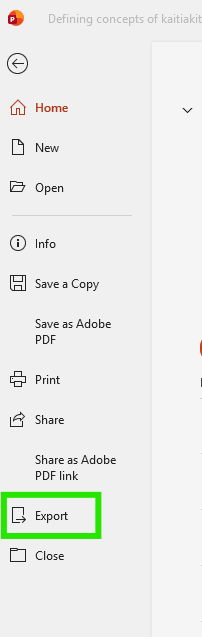
- Select Create a Video.
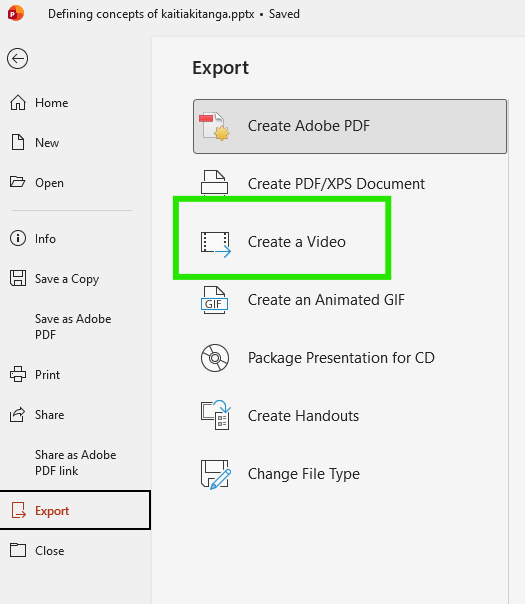
- Choose the video quality (e.g., Full HD).
- Set the timing for each slide if needed.
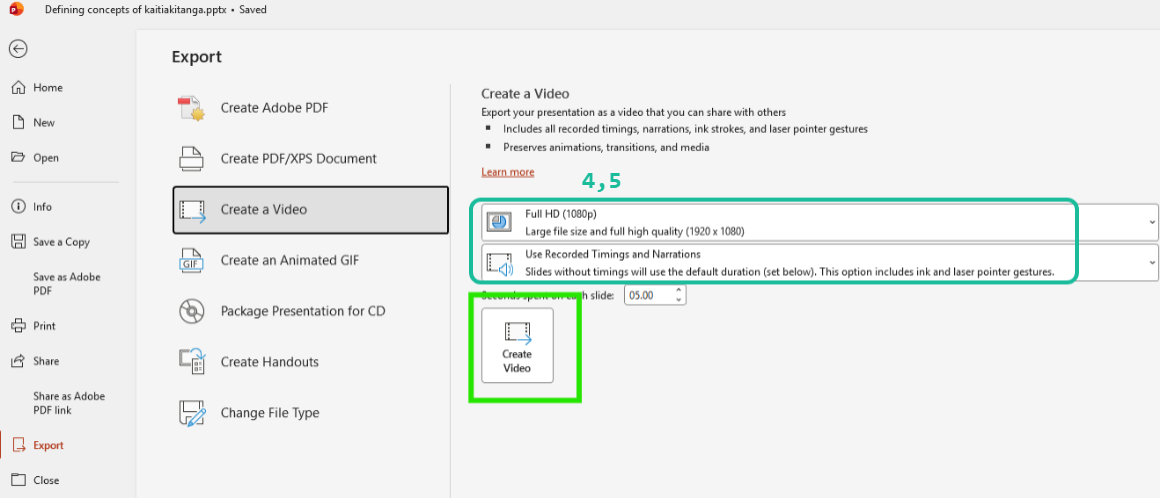
- Click Create Video and choose where to save it.
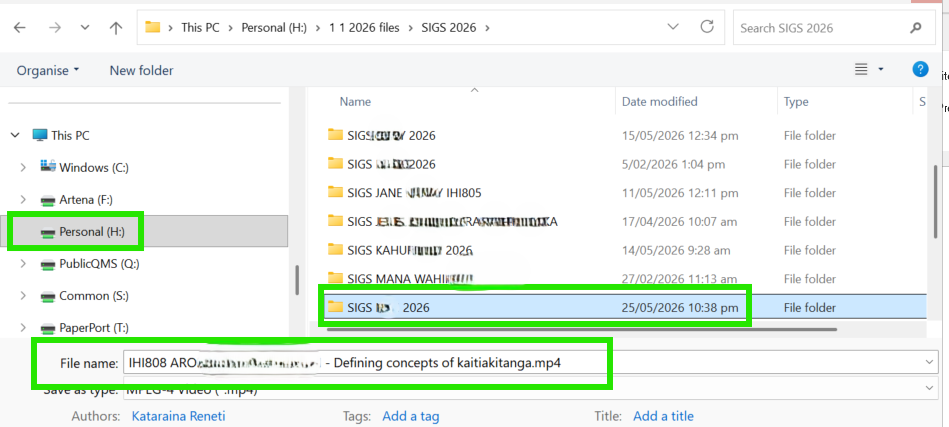
- Click Export
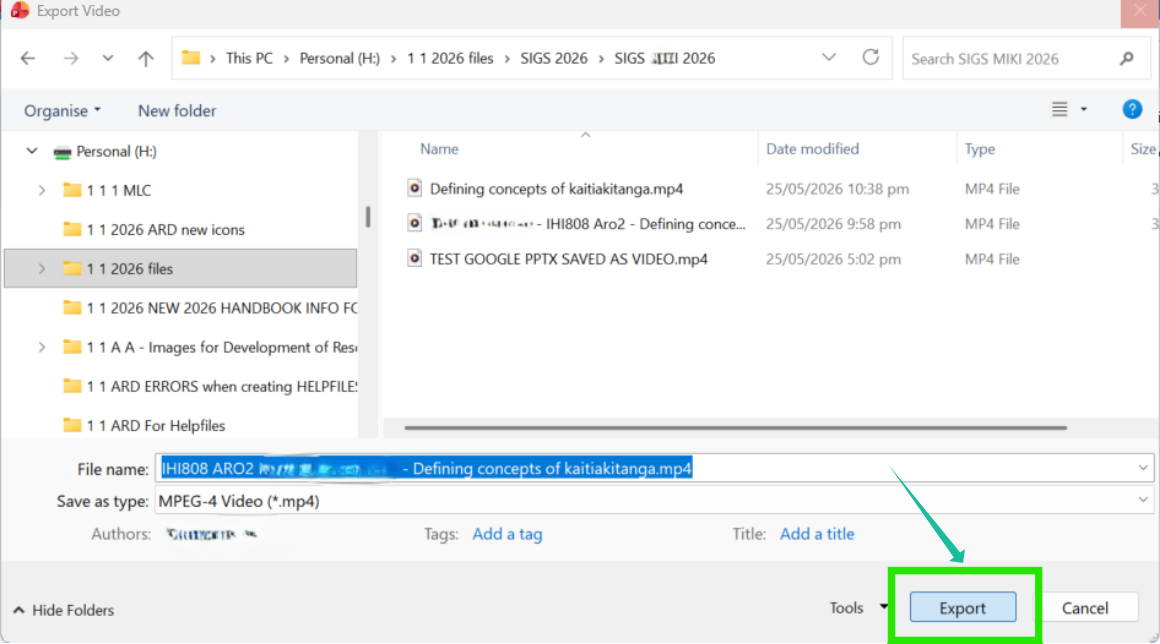
- File will export to MP4.

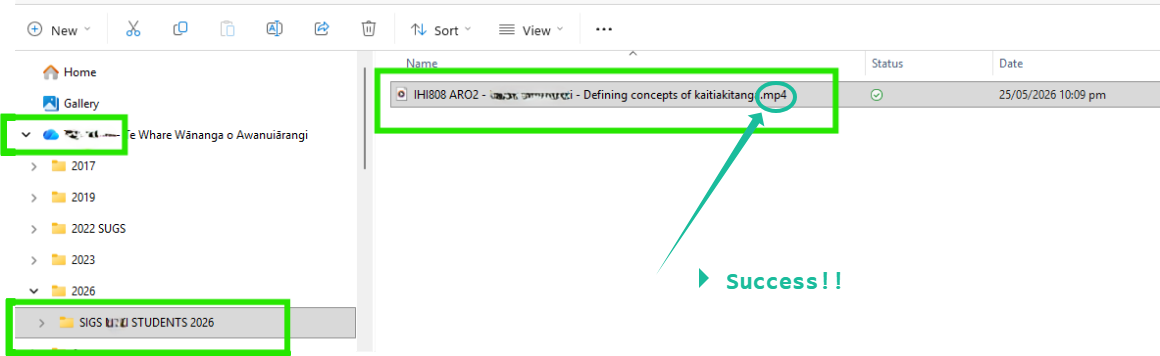
- File will complete export to MP4.

- Check file has converted to MP4. Search your computer.