
One of the main reasons Tauira may need to download Microsoft Office 365 onto their personal laptops is to ensure they are using the most up-to-date version of PowerPoint.
Using the updated version enables Tauira to:
Create their PowerPoint presentations with full access to current features and tools.
Export their presentations directly as an MP3 or MP4 file.
These exported files can then be uploaded to the Aromatawai links for grading.
HOW TO DOWNLOAD
Tauira – Office 365 download
1: Log into eWānanga account

2: Click Student Portals then select Office 365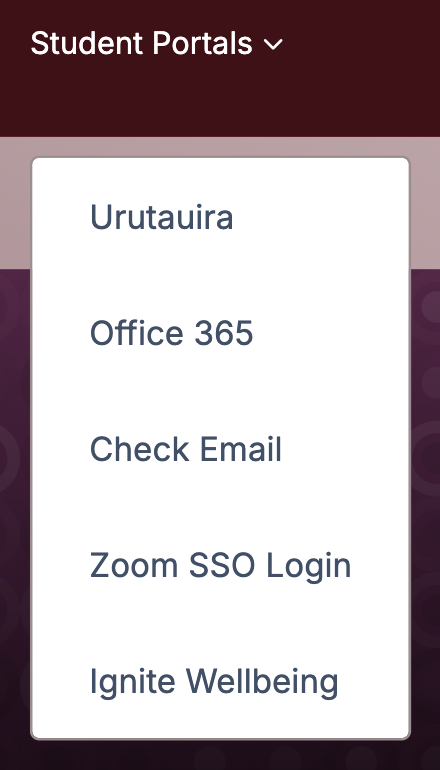
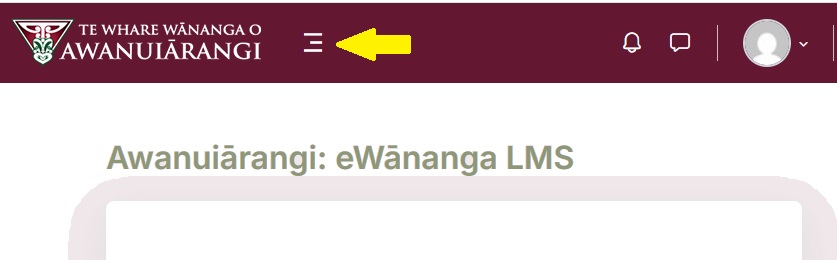
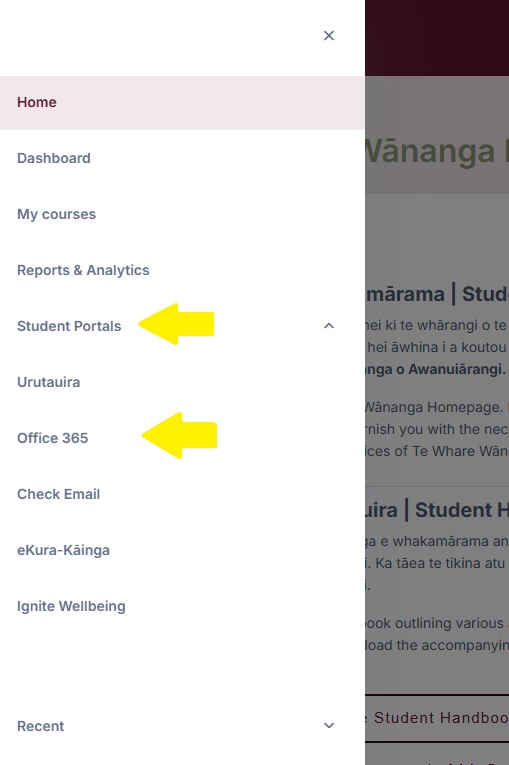
OR Click the three bars next to the logo in top left-hand corner (because the browser is zoomed in), then click Student Portals from the drop down options then select Office 365
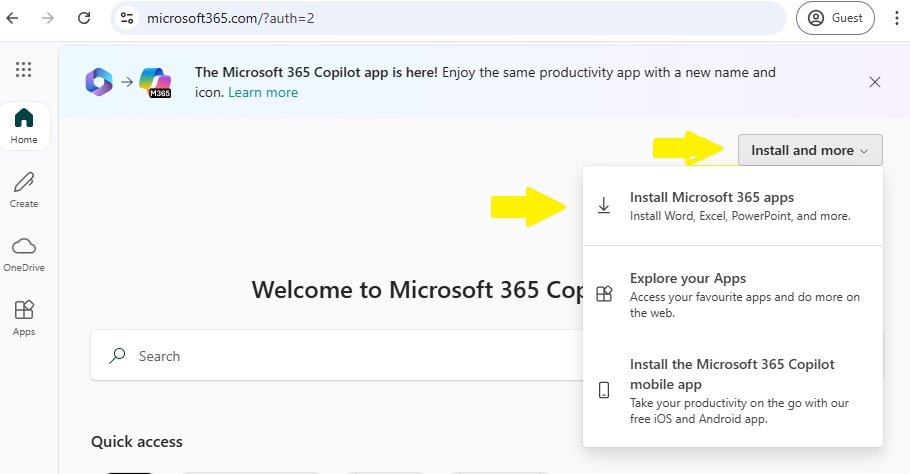
2. Click on Install and More in the top right corner then select Install Microsoft 365 apps
3. Click on My Account then select Install office
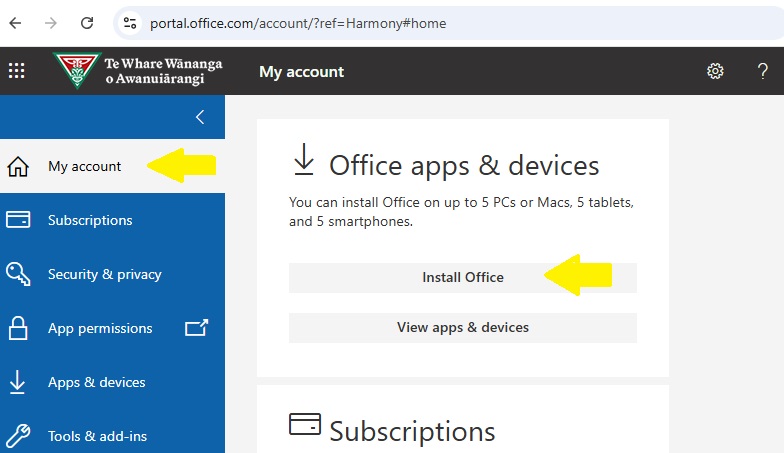
4. Click Save to start the install process. Follow the prompts to complete the installation.