
Note: Your grades in eWānanga are provisional. You can check Urutauira for your official academic grades.
Accessing your Grades in eWānanga
1. Click the drop down menu (small v) by your name then select Grades.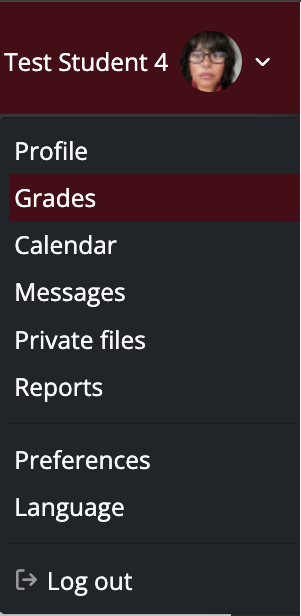
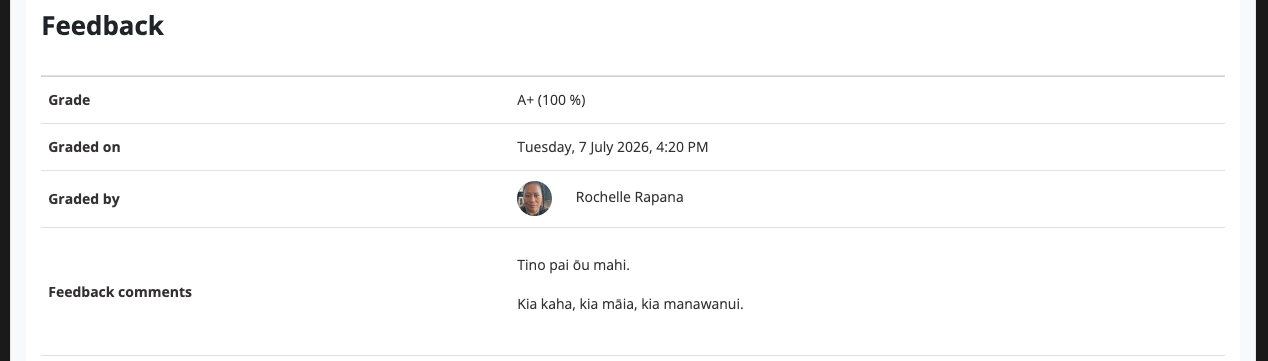
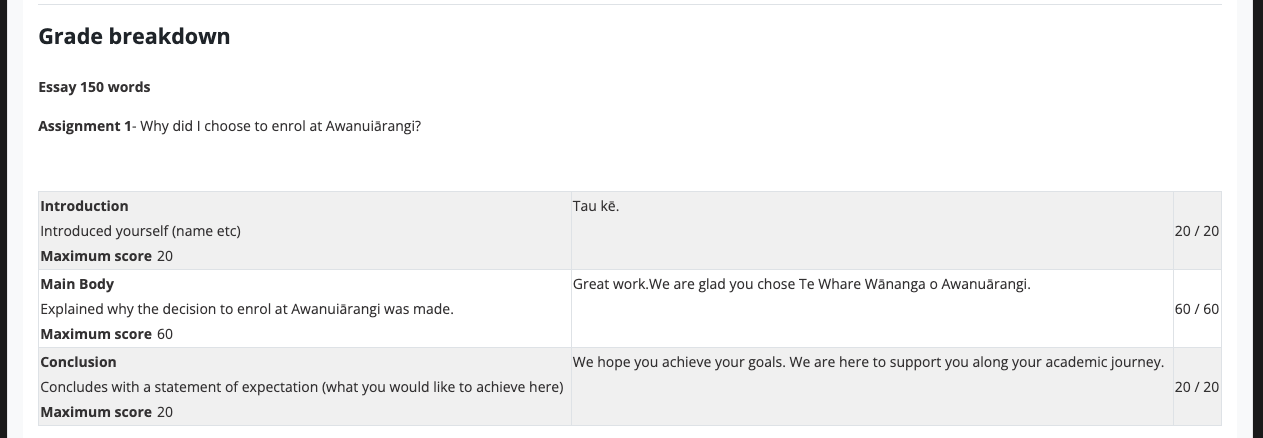
2. Click the name of a Course listed from the courses you are taking to check the Grades, Feedback, and Grade breakdown (if available).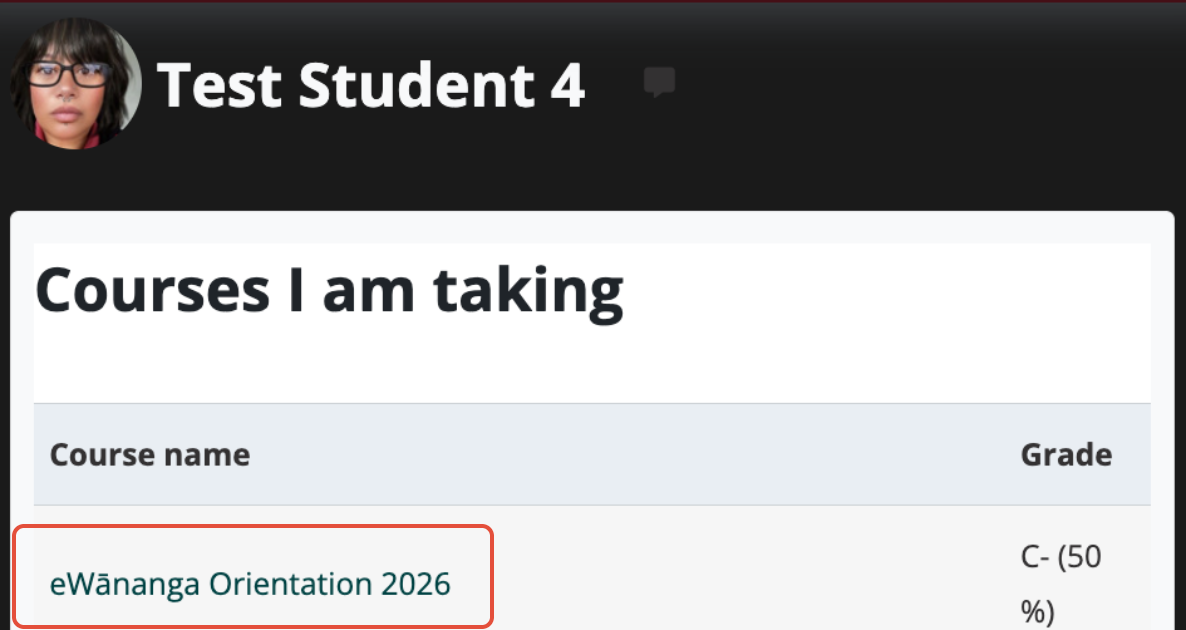
3. Select the assessment you want to access to check Feedback comments. 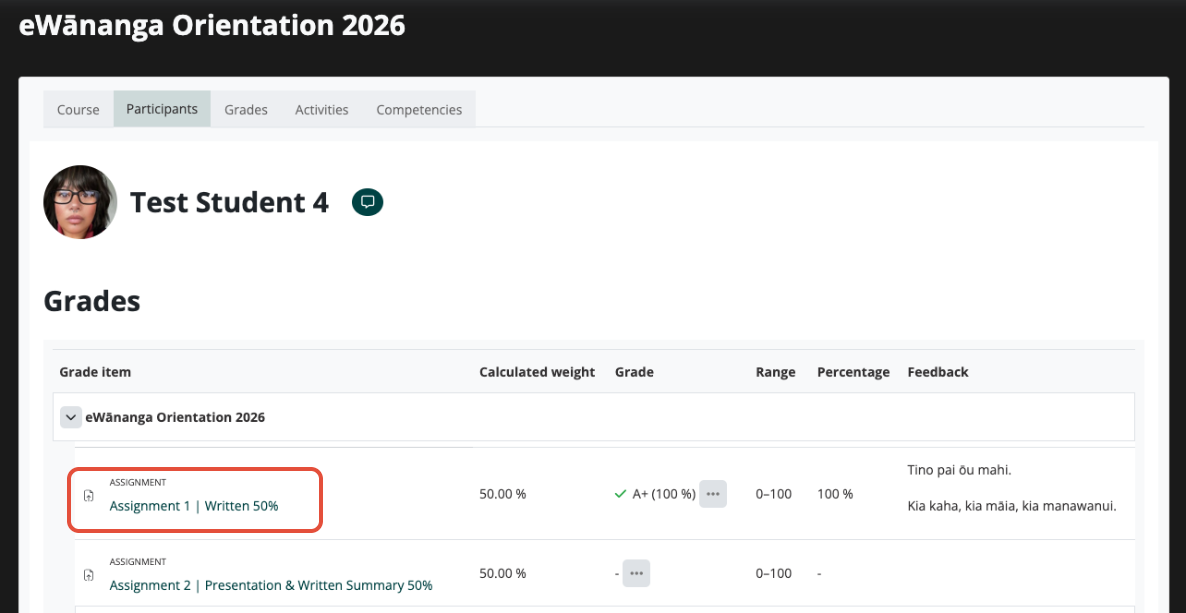
4. Here are examples of an assignment Submission status, Feedback, and Grade breakdown.
Note: Sections that are displayed depend on how the assignment has been setup.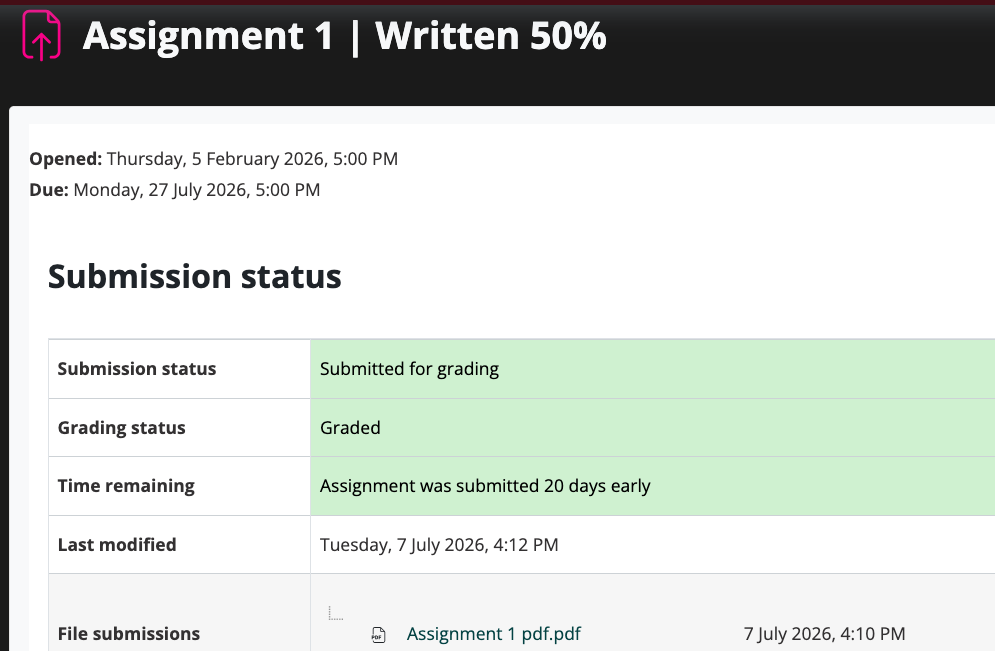
For further queries regarding your Grades please contact your kaiako.